Make this adorable Squeeze the Day sign, with my free SVG download for my email subscribers!
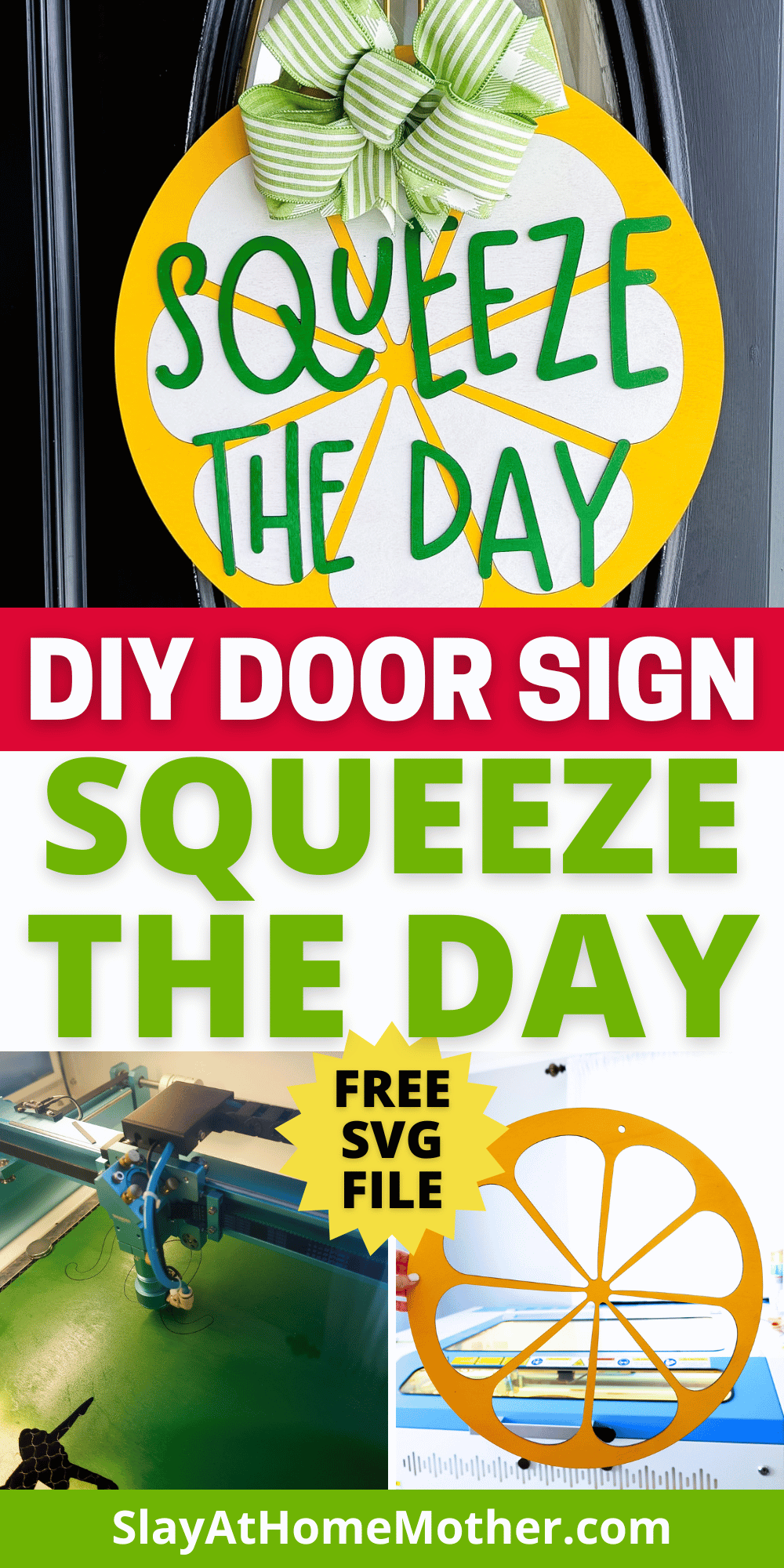
It’s been cold, windy, and rainy these last couple of weeks here in Michigan, but I’m not letting the dreary weather get us down!
I decided to make a fun spring/summer style sign that brightens up our day, as well as anyone else’s that passes by our home.
If you’re a longtime reader, you already know I have a laser machine that I love to craft with and will be featuring for this craft – BUT you can always purchase pre-cut pieces of wood (like precut circles for door signs) for a project like this.
I’ll be sharing all my how-to tips and file with you for this project.
I hope you love and enjoy creating this DIY door sign as much as I did. Be sure to download your file below, and share it with me when you make it (@slayathomemother)!
This post may contain affiliate links, however, all opinions are my own, as always.
What You’ll Need for this DIY Laser Cut Door Sign
Here is what I used to create this sign:
- 3 pieces of 3mm Baltic Birch wood (I pre-painted my wood, but you can always paint afterwards) – one piece for each color
- laser machine
- SVG file (grab my free SVG download at the bottom of this post!)
- Starbond glue – this one is my favorite for gluing wood to wood or acrylic to wood
- spray or acrylic paint in Yellow, Green, and White
- 2″ – 2.5″ wired ribbon in your color choices
- hot glue gun
- zip tie
- clamps or magnets to help secure wood to each other
- bow maker stand – I use this for every single bow I make and it is wonderful!
I recommend at least 1/4″ thickness for door signs, particularly in the case of owning a home with heavy winds (*raises hand*).
You’ll need some weight to your door hanger to prevent it from being easily lifted up and crashing down because of heavy winds.
Ask me how I know.
Or just take my word for it, and stick with 1/4″.
For this door sign, because we’re adhering two layers of 1/8″ (or 3mm) wood together, we already make up that 1.4″ weight for our sign.
The white and red layers will serve as the top layer for the sign, while the pink layer will serve as the bottom layer.
Font Used in this Design
Here are the font I used for this sign:
I have included in the SVG file for you the lettering pictured in this post so you will not need to download any fonts unless you choose to do lettering that differs from this design.
My Laser Machine
In this project, I’m utilizing the Nova Plus 35 60W, which is a workhorse laser machine.
I graduated from the Thunder Bolt, which was an incredible starter desktop laser, to this one so I could begin designing and crafting bigger projects like door signs!
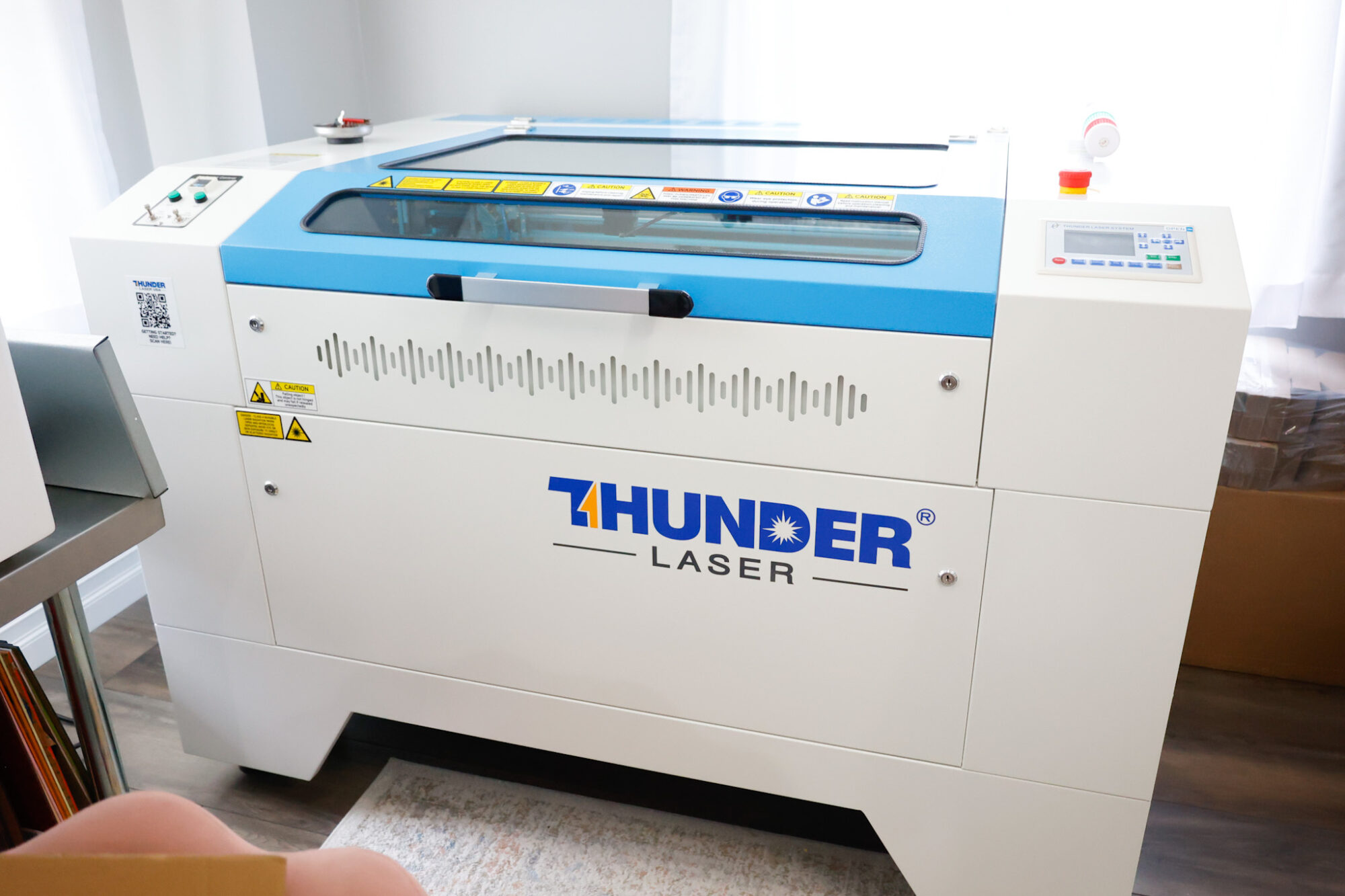
This machine has been incredible for crafting nursery signs, ornaments, door signs, tiered tray decor, and so much more!
The honeycomb on this laser bed is perfect for making larger items like nursery signs, door signs, etc.
The laser bed measures approximately 24″ x 36″, so it has plenty of room to do a beautiful door sign like the one you see in this post.
You May Also Like: DIY Stop Here Santa Door Sign – Free SVG Laser Craft
Laser Cut Settings for Baltic Birch Wood
I love using my laser machine from Thunder to cut through wood, whether it be 1/8″ thick or 1/4″ thick.
As of right now, I haven’t had the need to try to cut anything thicker.
Here it is cutting through 1/8″ wood…
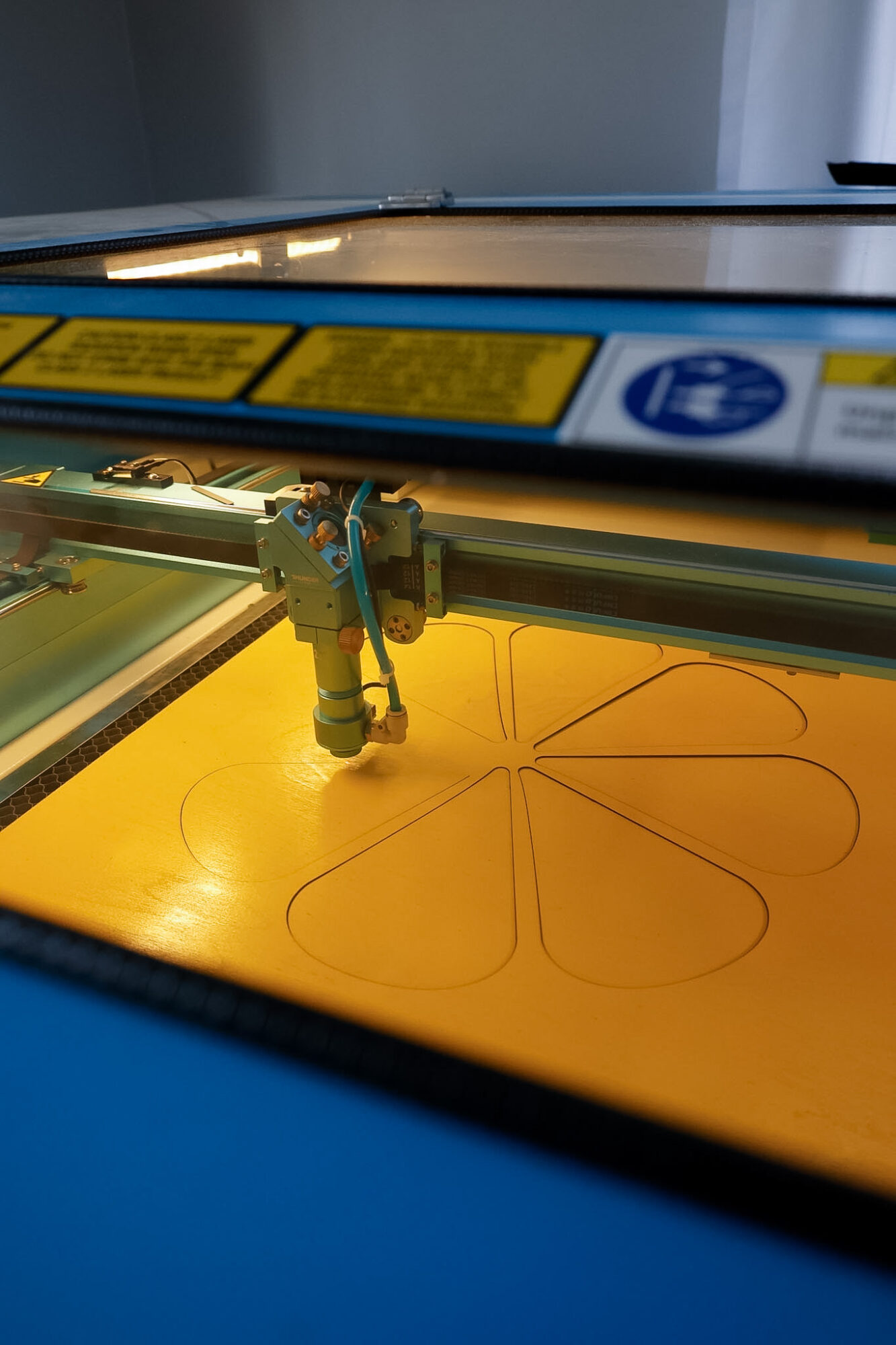
I like to pre-paint my wood before cutting as I have tried painting afterwards and found that the paint runs down the edges of my cuts and doesn’t look very clean or professional.
First, i cut out the yellow slice outline…
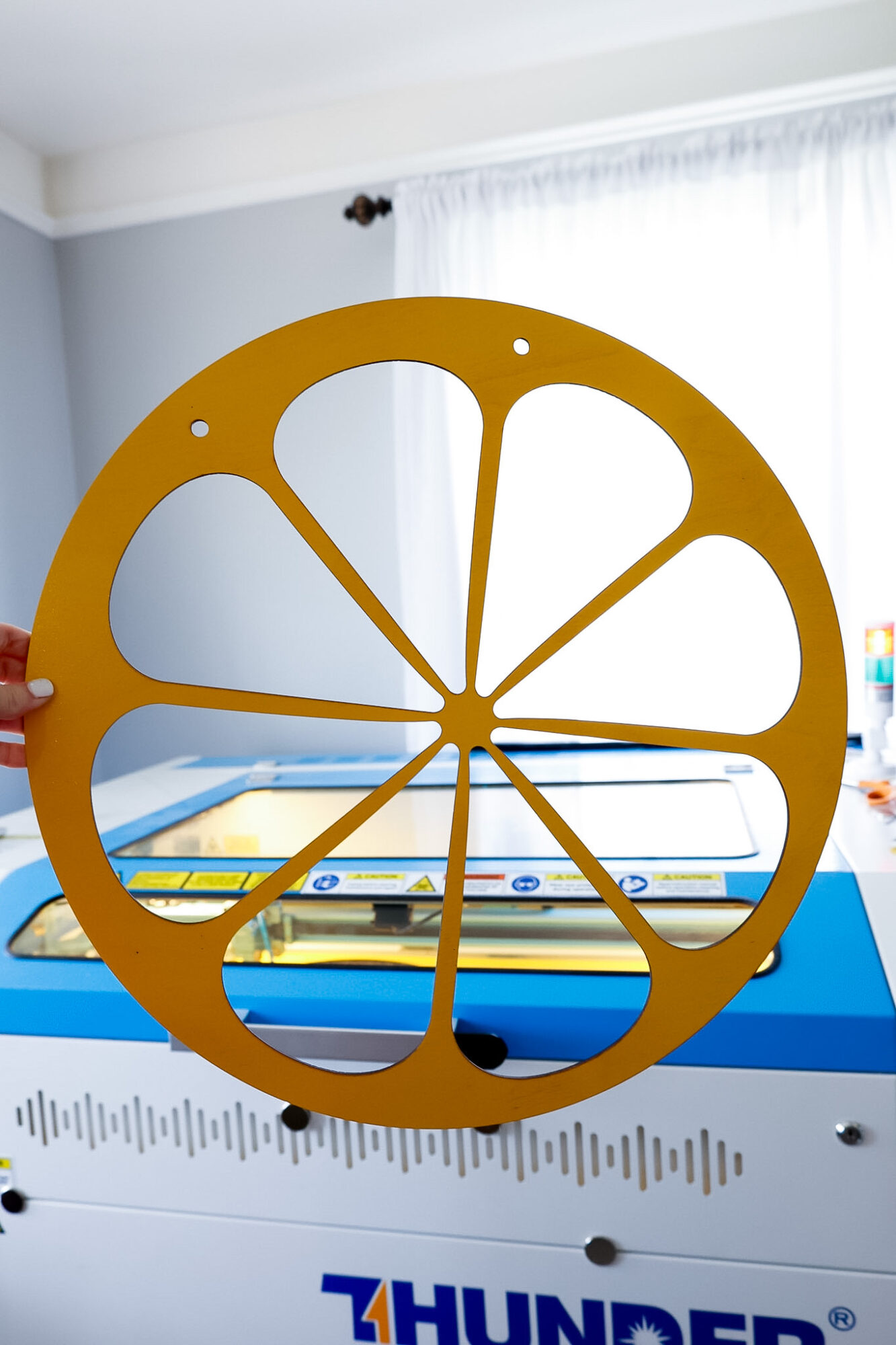
To cut these shapes out cleanly, I used these settings with my laser machine:
Cut wood: 8 mm/s at 50% Max power, 25% min power
Score wood: 200 mms/ at 15% Max power, 5% min power
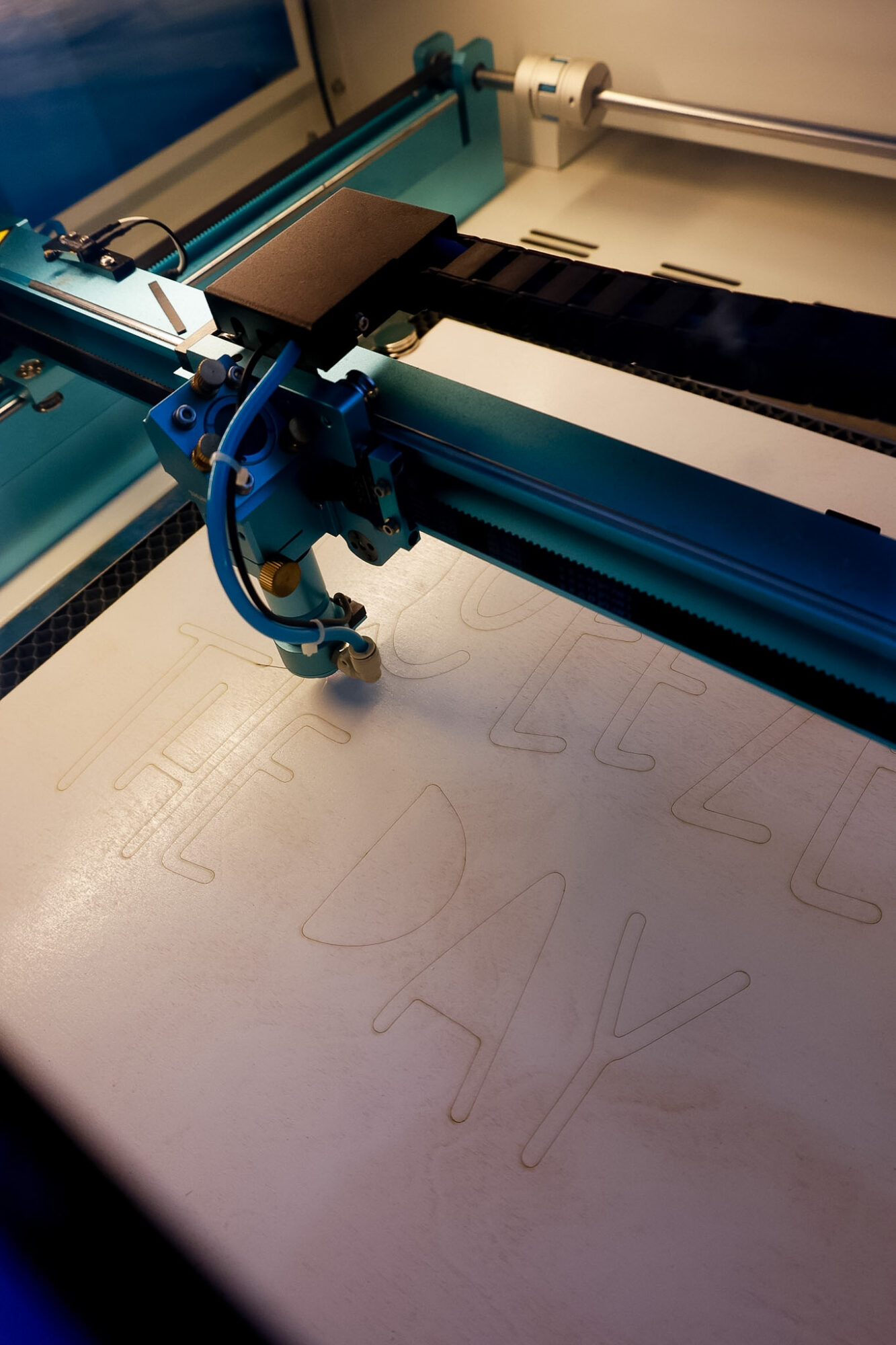
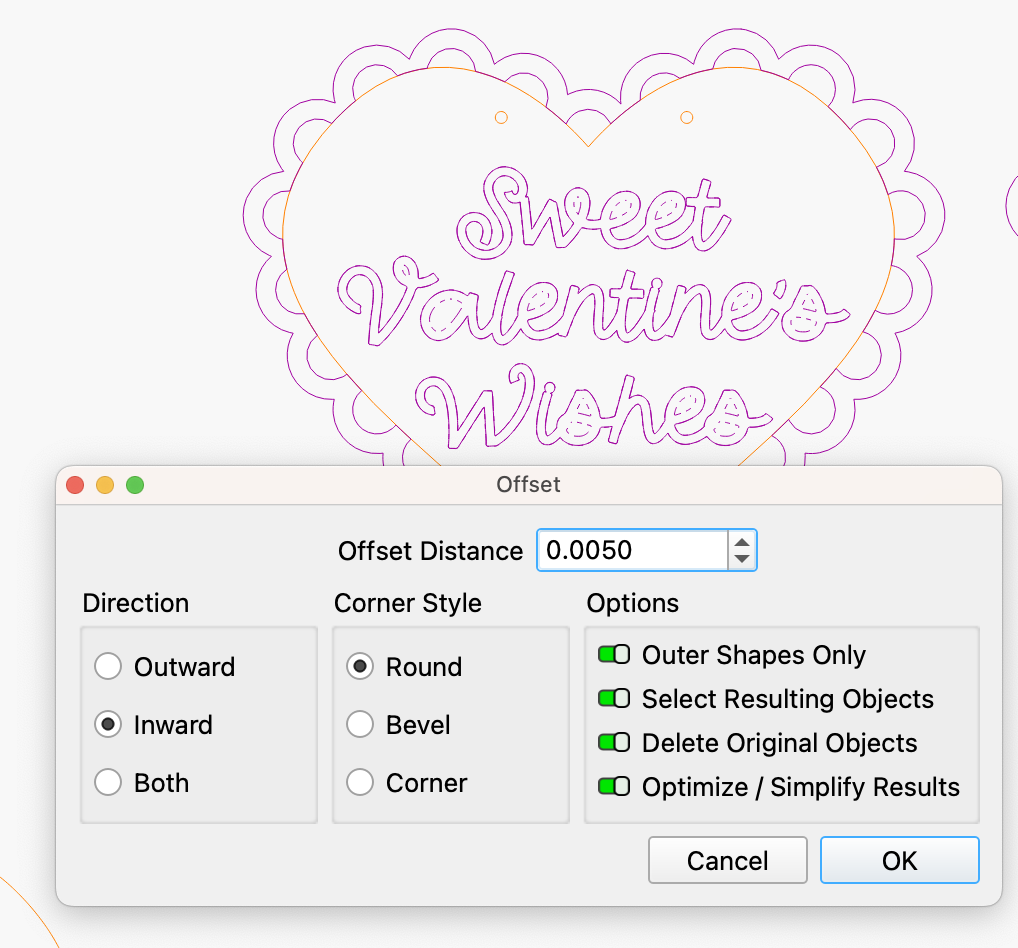
Scoring in Lightburn is a LINE setting, not a FILL setting (engraving). I use this option to lightly trace an inward offset to mark where the letters go so I’m not eyeballing everything.
This is especially helpful when placing a funky style font like this, where the letters are different sizes!
You can see in this picture below a faint outline on the white painted wood – this is my inward offset (could we call that the ‘inset’ from now on?) that will help me accurately place my letters, which I need especially for cursive lettering…
If you want to score the outline of the letters, I recommend doing an inward offset aka ‘inset’ (this helps hide your score lines so you can use them as a reference but they aren’t seen as part of the finished project, which makes your sign look CLEAN), as shown in the screenshot from Lightburn below…
This screenshot features one of my latest projects, as a reference:
FYI: If you have a CO2 laser, the settings will differ for you as well as my settings shown in this post are for my RF laser. It’s recommended that you run a test sheet for scoring/engraving/cutting for your laser so you have some go-to settings for the different materials.
Adhering the Layers of this DIY Door Sign
I have one glue that I use and love for gluing wood projects (or gluing acrylic to wood projects). It’s never failed me and works great.
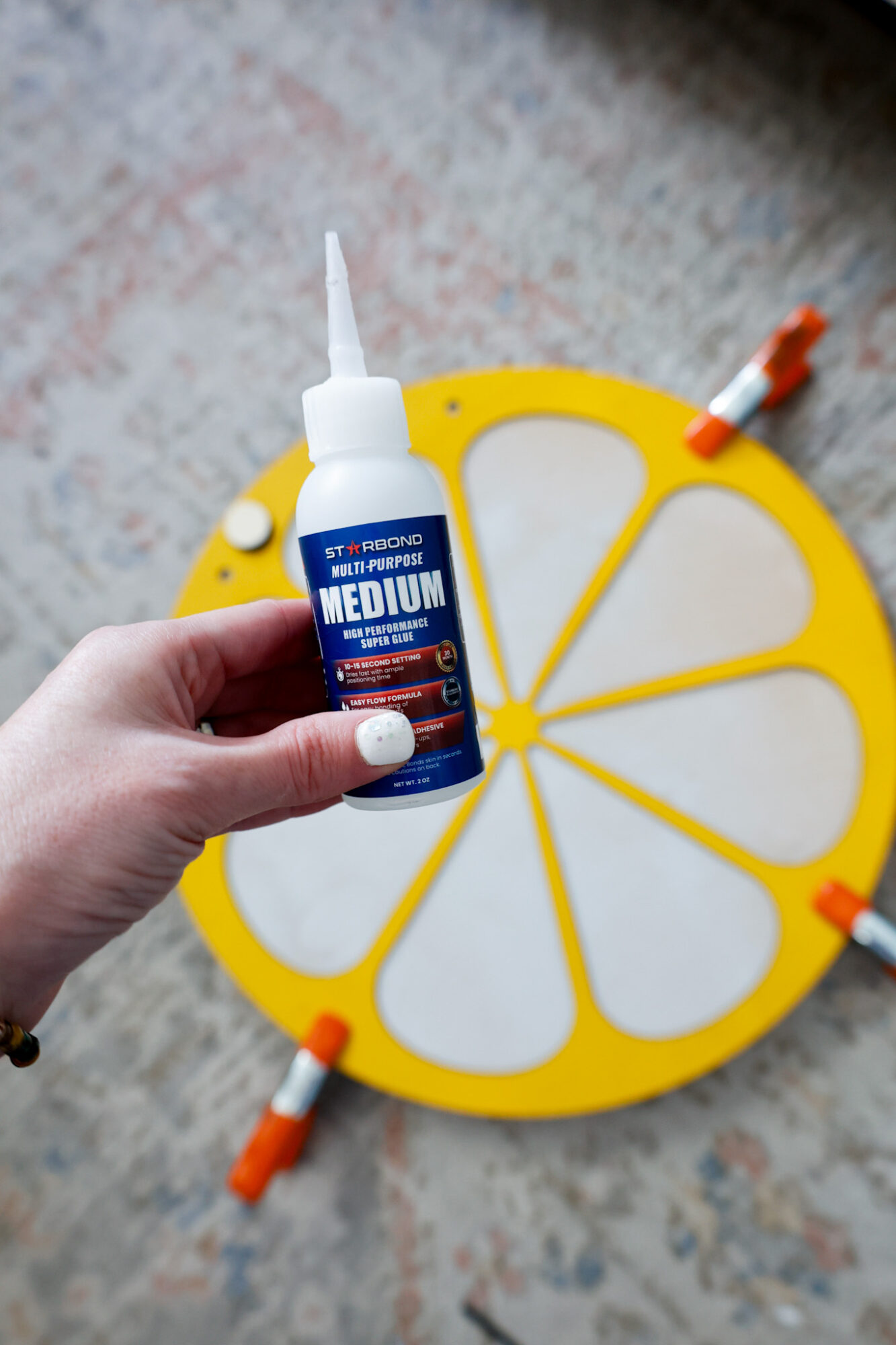
It does take a bit to set so be sure to plan for drying time.
I try to let it sit for several hours or overnight, especially if I’m gifting to a friend.
If it fails on me because I was impatient and didn’t let it set for long enough, I could always re-glue it. But if giving to a friend, I want to avoid that and just be patient ;).
Once glued, I use two different methods to glue the wood together and ensure the wood pieces are touching each other fully for secure adhesion:
They both serve a purpose and help a project like this with a large area to adhere, to actually be successful. There are times I use one or the other, but for a project like this, I employed both.
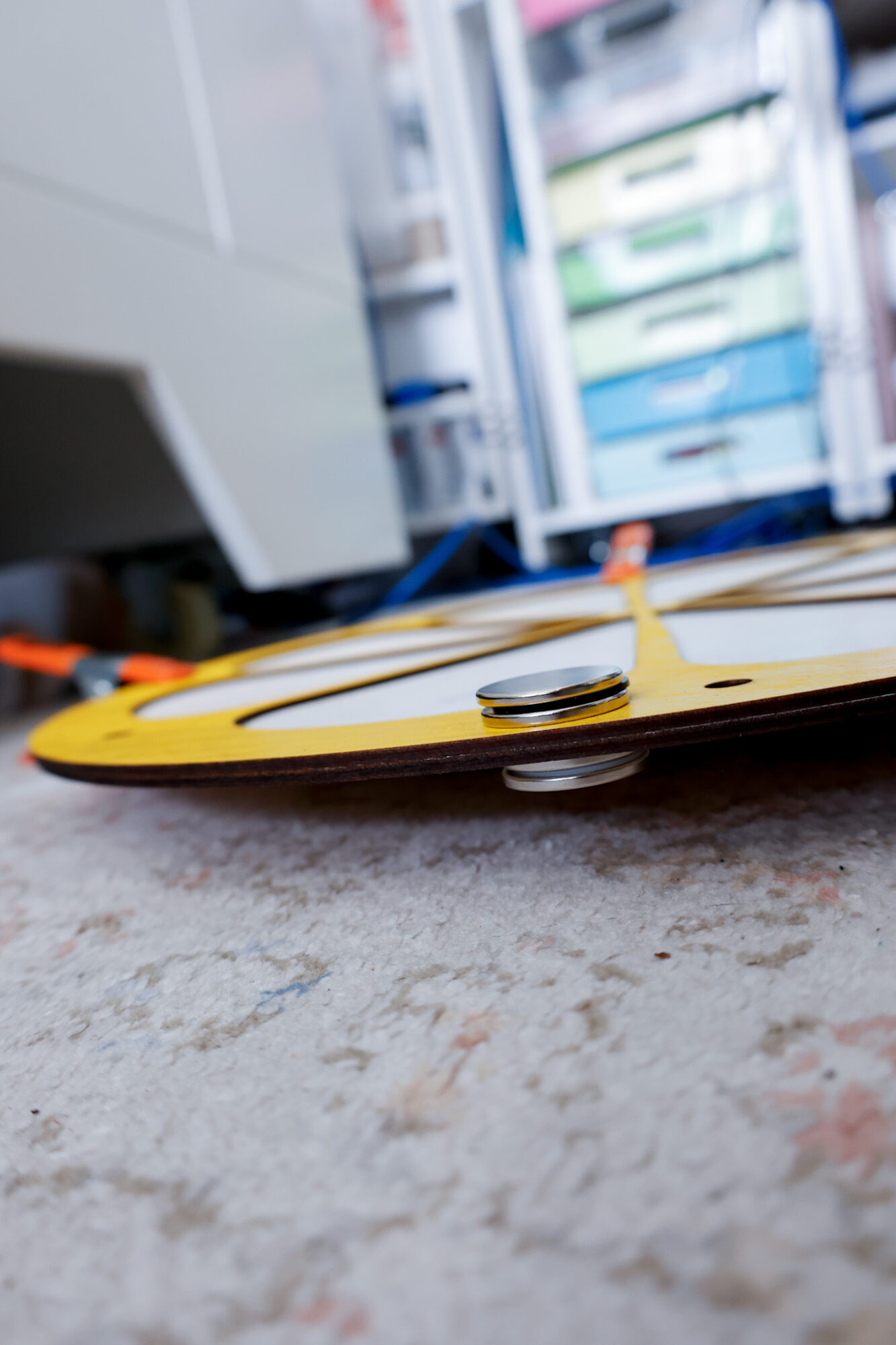
First, I glued the yellow slice outline to the full white circle.
Then, I glued on the white rounded triangle type shapes with the letters scored on them in the negative spaces.
I did this to really create weight to the sign as mentioned above, as well as having a solid, even surface to adhere my letters to.
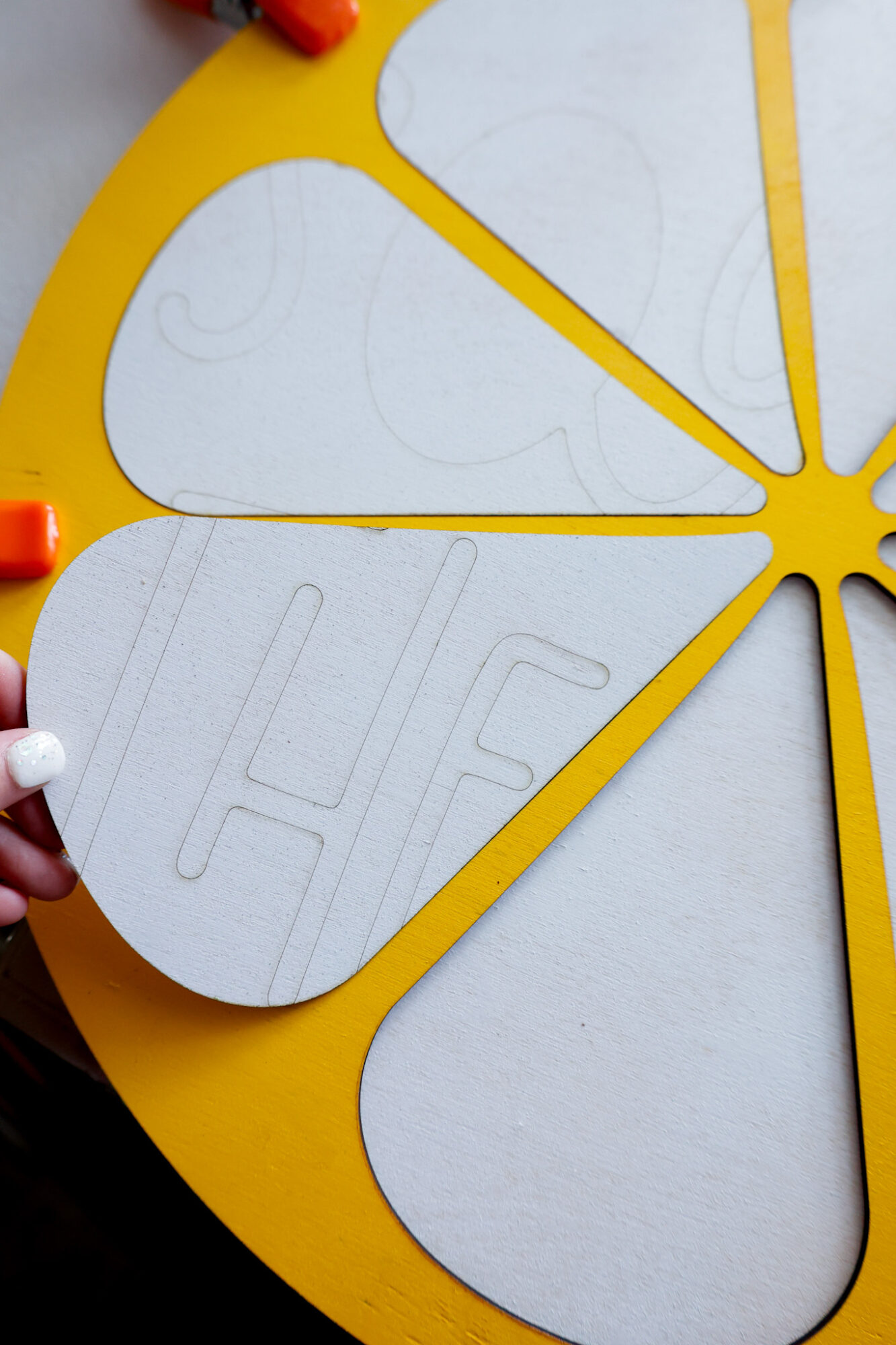
Then, I glued my green painted letters overtop of the scored lines.
Finished DIY Squeeze The Day Door Sign
Here’s what my finished sign looks like on our front door…
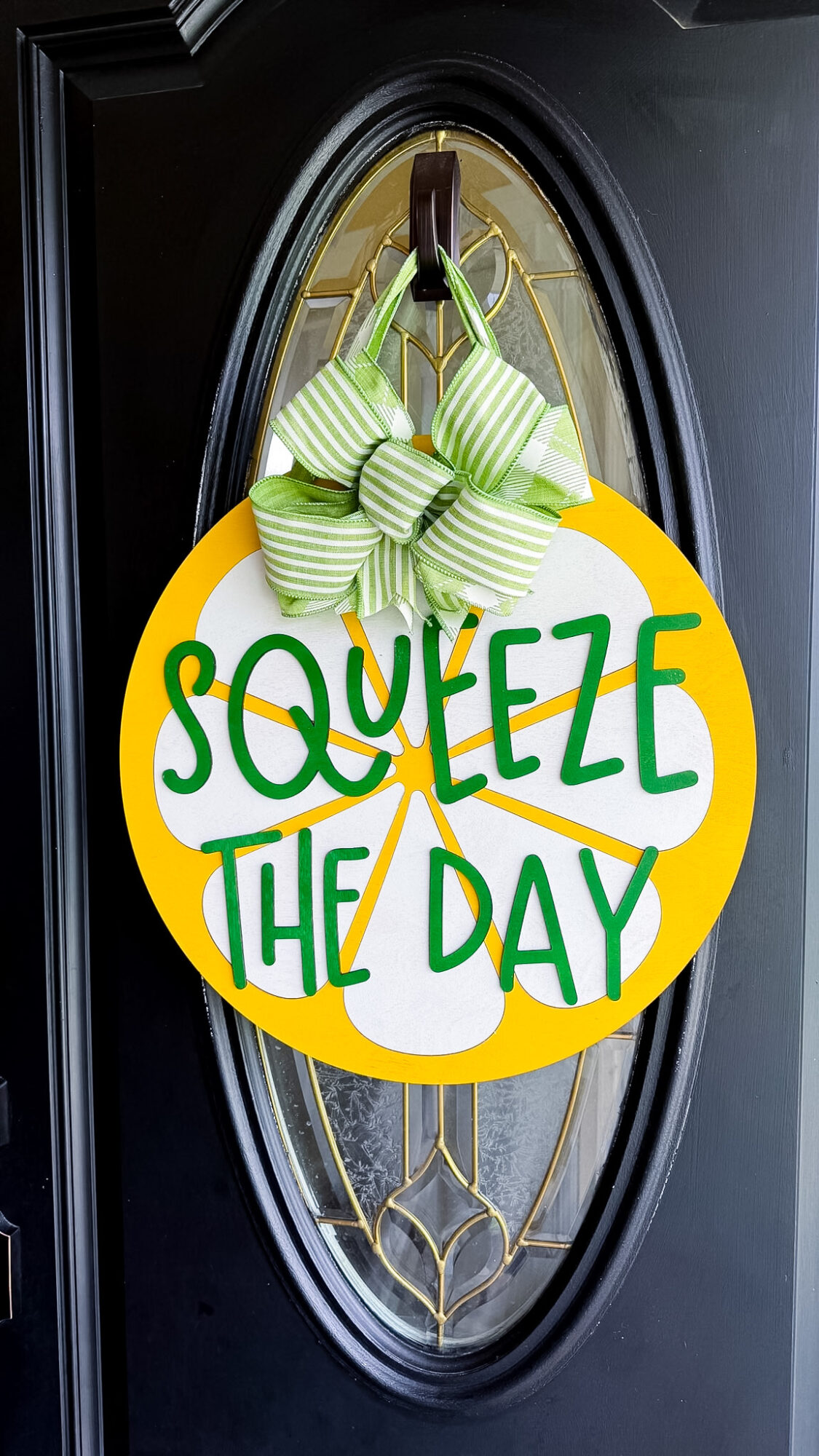
I love how it turned out, especially against out black door but I could see it being a total curb side showstopper on a white door as well!
To help me make my bows, I use this tool! It’s like having a sturdy second set of hands to hold things in place. I mentioned this earlier in the post, but wired ribbon is KEY to making beautiful bow for door signs that will last years and years.
Free SVG Download: Squeeze The Day Door Sign
Sign up below to gain instant access to my free SVG file for this project:
Please remember that all free files are for personal use only, and cannot be sold, copied, or distributed.
Thank you!

Leave a Reply